How Much Have I Spent on Steam Uncovering Your Total
We’ve all been there. Staring at a Steam library packed with hundreds of games, a little voice in the back of our head starts to wonder, "Just how much money have I actually spent on all this?" It's the moment of truth for any PC gamer, a reckoning with years of Summer Sales, tempting bundles, and those late-night impulse buys.
The good news? Finding out is easier than you think. You have a couple of solid options, depending on what you really want to know. Are you looking for the cold, hard number of what you’ve paid, or are you more curious about what your massive game collection is actually worth today?
The Quick and Dirty Number: Steam's Official Tools
If you just want the raw total without any fuss, Valve has you covered. Steam's own Account Spend tool gives you the definitive figure of all external funds—from credit cards, PayPal, and the like—that you've ever pumped into your account. This is your official, no-nonsense total straight from the source.
This number is often surprisingly high, but it's the most accurate reflection of your direct financial investment in the platform.
A Deeper Dive: Third-Party Analytics
But that official number doesn't tell the whole story, does it? It doesn't account for the current value of your games, massive discounts, or bundles you've snagged over the years. This is where third-party tools come into play.
These platforms analyze your entire library and calculate what it's worth right now. They can even break down your spending into a cost-per-hour based on your playtime, giving you a much more nuanced view of your gaming habits and the "value" you've gotten from your purchases.
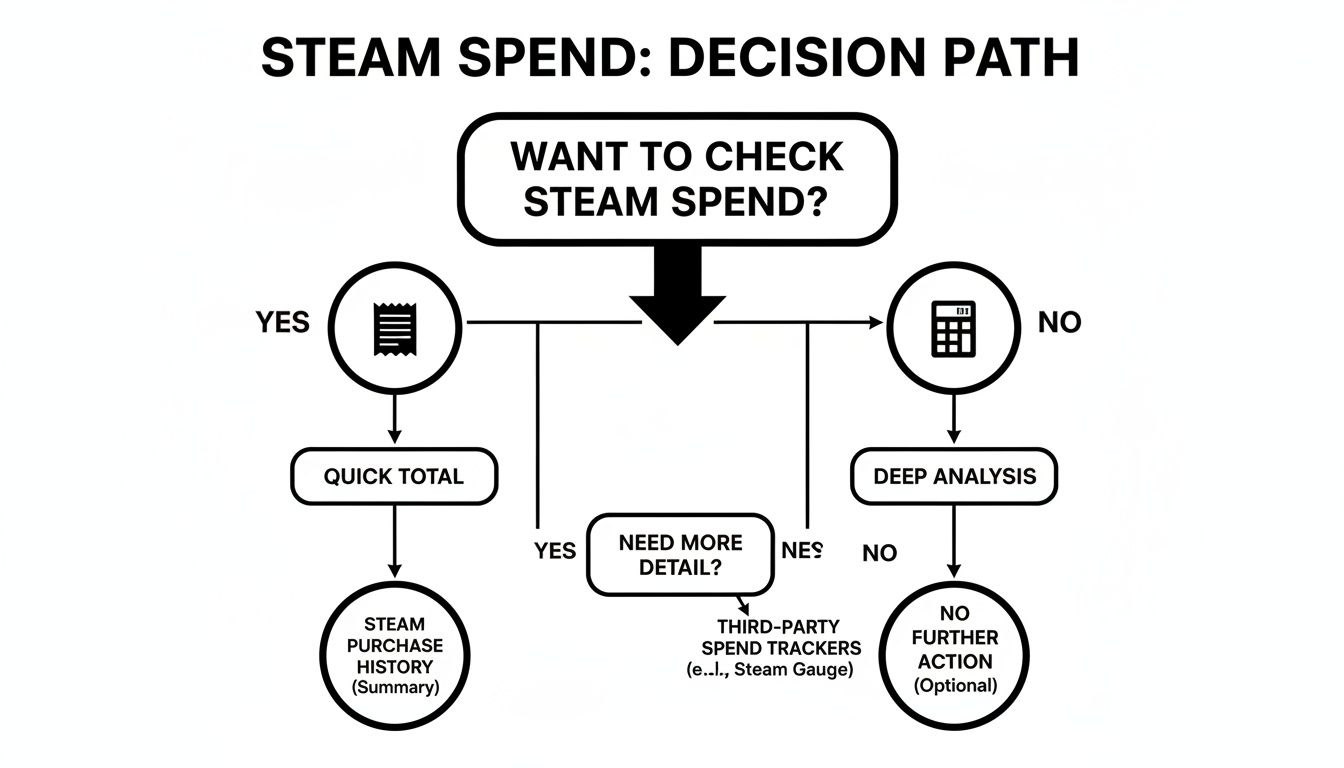
So, which path should you take? It really boils down to your goal. If you're doing some personal budgeting, the official number is what you need. If you're just satisfying your curiosity about the value of your digital empire, a third-party calculator is the way to go.
To make the choice easier, here's a quick breakdown of what each approach offers.
Choosing Your Method to Check Steam Spending
| Feature | Official Steam Purchase History | Third-Party Steam Calculator |
|---|---|---|
| Accuracy | 100% accurate for direct spending | Provides an estimated current value |
| Data Scope | Only shows external funds added | Analyzes your entire game library |
| Metrics Available | A single, total spending figure | Current value, cost-per-hour, playtime stats |
| Time Investment | Instant | Takes a few seconds to analyze |
| Best For | A quick, factual budget number | Deep financial insights into your library |
Ultimately, there's no right or wrong answer here. The two methods actually complement each other perfectly.
Start with the official total to see your historical investment. Then, for the full picture, run your profile through a tool like the Steam Calculator to see what your collection is worth on the market today. You might be surprised by the results.
Using Steam's Official Purchase History Tool
If you want the cold, hard truth about how much cash you've funneled into Steam, your first stop should be Valve’s own built-in tool. This is the most direct, no-nonsense way to see a running tally of every dollar you've personally spent. It's the official, undeniable number.
The good news is that getting to this figure is straightforward, and the steps are identical whether you’re using the Steam desktop client or just logging in through a web browser. A few clicks and you'll have your answer.
Locating Your Account Spend Data
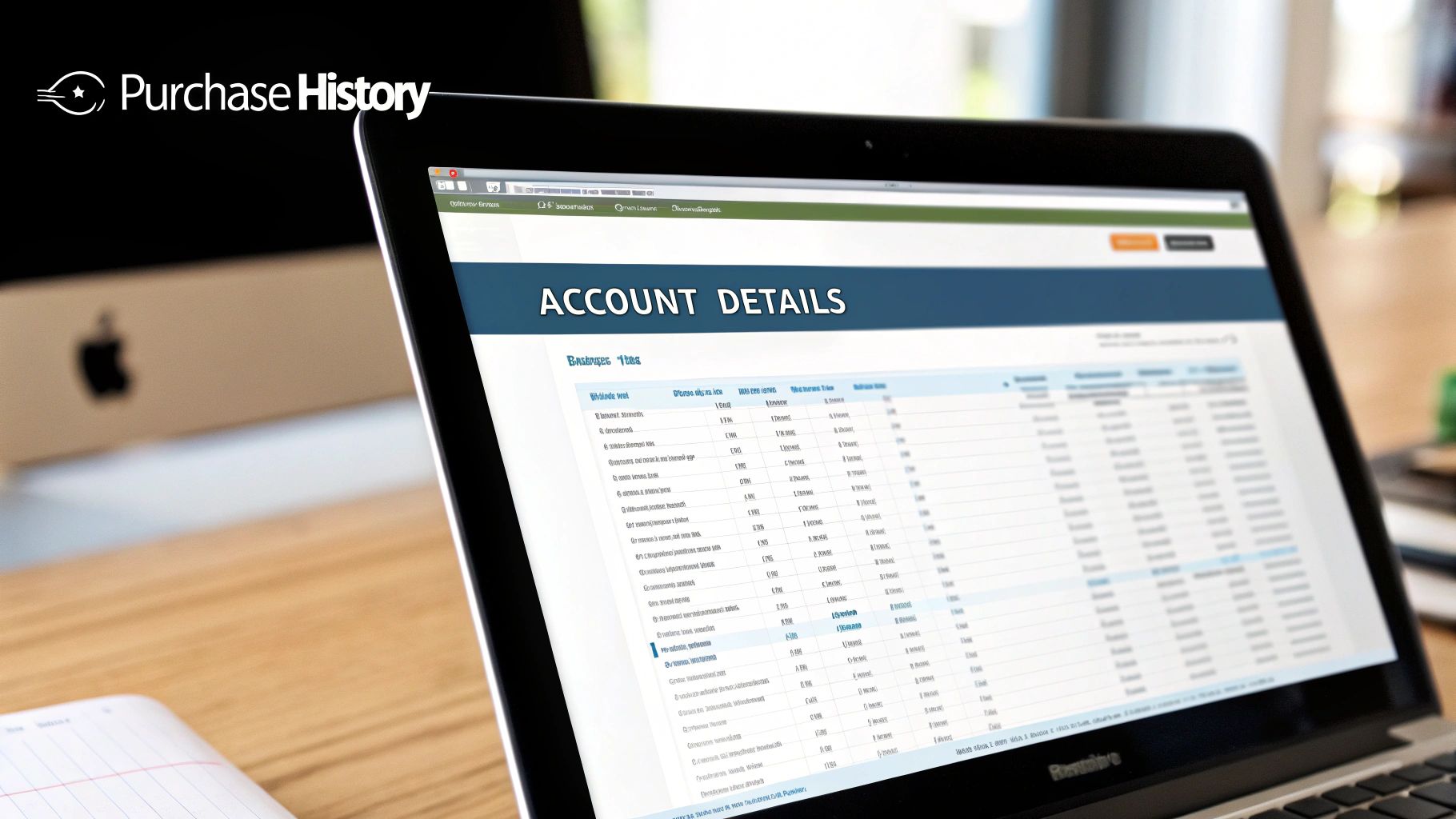
First, you'll need to head to your Account Details page. Just click on your profile name in the top-right corner of the Steam interface and select it from the dropdown menu. From there, find the "Store & Purchase History" section.
You'll see a link for View purchase history, which is interesting for a line-by-line breakdown, but it's not what we're after. The real gold is a less obvious link right below it: View external funds used. Click that, and Steam will lay it all out for you.
You'll see three distinct figures:
- TotalSpend: This is the big one. It shows every dollar you’ve added to your account from an external source (like a credit card or PayPal) since April 2015.
- OldSpend: This number covers all your spending before the current tracking system was put in place. It’s your pre-2015 total.
- PWSpend: Most people can ignore this one. It only applies to spending within the game Perfect World, which uses a separate payment system.
Add those numbers up, and you’ve got the grand total of what you've directly paid into your Steam account.
This official number is the most precise record of your out-of-pocket spending. But remember, it’s just a baseline. It only tracks the money you put in, which doesn’t tell the full story of your library's actual cost or value.
Understanding What's Not Included
While that final number is factually correct, it has some major blind spots. Think of it like a bank statement—it shows your withdrawals but gives no context on what you got for your money or what it's worth now.
For instance, this official total completely overlooks:
- Gifted Games: That copy of Cyberpunk 2077 your friend bought you for your birthday? It won't show up here.
- Third-Party Keys: Any games you bought from sites like Humble Bundle or Fanatical and redeemed on Steam are invisible to this tool.
- Steam Wallet Codes: If you redeemed a physical gift card from a retail store, that money isn't counted as an "external fund" you added.
Because of these omissions, the official total often represents the minimum financial foundation of your library, not its complete acquisition cost or current market value. It gives you an accurate number, but it's an incomplete picture.
Why Your Official Total Isn't the Full Story
That "TotalSpend" number you get directly from Steam can be a jaw-dropper, but it's important to know what it's actually counting. Think of it as a tally of every dollar you've personally funneled into Valve's ecosystem. It's accurate for what it is, but it's far from the complete picture of your library's value.
The truth is, the real cost and value of your game collection are often way different than what that single number shows. It's just one piece of a much bigger, more interesting puzzle.
Unseen Costs and Hidden Value
So, what does that official number miss? A lot, actually. It's designed to track direct spending, so it completely ignores many of the common ways we all get games.
Here’s what your official total leaves out:
- Third-Party Keys: Ever snagged a killer deal from Humble Bundle or Fanatical? Any key you buy elsewhere and redeem on Steam is invisible to the official spend tracker. For a lot of us, those bundles and deals add up to hundreds of dollars in games.
- Gifted Games: Remember that $60 AAA game a friend bought you for your birthday? It didn't come out of your pocket, so Steam doesn't count it in your personal spend. But it’s absolutely part of your library's overall worth.
- Physical Gift Cards: If a relative hands you a $50 Steam Wallet card, those funds just appear in your account. The purchase history tool doesn’t see that as money you spent, even though you’re the one using it.
Let's put it in perspective. Your official "TotalSpend" might be $500. But if you've redeemed $150 in bundles and received $100 in gifted games over the years, the actual acquisition cost of your library is closer to $750.
The Ever-Changing Value of Your Games
Beyond how you got them, the official number has another blind spot: time. The digital game market is anything but static. We all know and love the big Steam sales, and older games often get permanent price cuts.
A game you bought for $60 on day one could be permanently priced at $20 a few years later. During a Steam Summer Sale, that same game might drop to just $5. Your official record will always show you paid $60, but the game’s current market value is a fraction of that.
This is precisely where the official number comes up short. It tells you what you paid, but it gives you zero insight into what your library is worth today. To get that figure, you need a smarter tool—one that can look at current prices and sales to give you a true, real-time valuation.
Calculating Your Library's True Value
Moving beyond what Steam's official records show gives you a much richer picture of your gaming habits. It’s less about a simple transaction list and more about a real financial breakdown of your collection. This is where third-party tools, often called a Steam Calculator, really shine by showing you what your game library is worth right now.
These tools aren't just pulling old receipts. They use Steam's API to look at your public profile—specifically your list of games and how long you've played them—and then check that against live store prices. This means they account for current sales, permanent price drops, and even regional pricing differences to give you a dynamic, up-to-the-minute valuation.
Metrics That Actually Matter
Instead of just one static number, a good calculator breaks your library down into several key metrics that tell a story. You get to see not just what you paid, but the actual value you've gotten out of your games.
The whole point is to get data that can help you make smarter purchases in the future and see your gaming patterns more clearly. The most useful insights usually include:
- Current Market Value: This is the big one. It's what it would cost to buy your entire library today, with all the current sales and discounts applied.
- Cost-Per-Hour: Here’s where you find the true gems. By dividing a game's price by your playtime, you see which titles gave you the most bang for your buck.
- Playtime Distribution: This reveals the genres you genuinely sink time into versus the ones you just tend to collect.
This kind of analysis gives you a very honest look at your spending. For instance, you might find out that while you've spent $1,200 over the years, your library's current value is only $450 because you're a savvy sale shopper.
On the other hand, that same report might show that your favorite $40 indie RPG has an incredible cost-per-hour of just $0.25, proving it was a fantastic investment. This is the kind of insight that helps you stop buying games you'll never play.
A Real-World Scenario
Let's put this into practice. Imagine you fire up a Steam Calculator and see you’ve dropped over $1,200 since creating your account back in 2018—a reality for many of us. With Steam's platform revenue hitting $10.8 billion in 2024, it's clear we're all contributing to that digital empire.
In major markets like the US, where Steam holds a massive 75% market share, many of us grab games at 50-90% off during the big sales. Those impulse buys during the Steam Summer Sale can really add up, and a calculator will put a number on it.
Tools that break down your playtime by genre can also be eye-opening. You might find your investment is skewed heavily toward RPGs, even though you keep buying strategy games. This helps completionists figure out what to tackle next in their backlog, and it even gives serious collectors a way to document their digital assets for insurance.
Ultimately, these tools transform the simple question of "how much have I spent on Steam?" into a detailed report on your gaming identity. You can even dig deeper by comparing your stats to the average size of a Steam library to see how your collection stacks up.
How to Use Your Spending Data to Game Smarter
Alright, so you’ve seen the big number—your total spend or what your account is worth. Don't panic. That figure isn't just for shock value; it’s the key to making smarter decisions about your hobby. This is where you go from just being curious to actively shaping how you buy and play games.
Think of your spending report as a personal map of your gaming journey. When you look at the genre breakdown, you can see exactly where your money and time are truly going. You might find you've dropped hundreds on strategy games but poured thousands of hours into RPGs. That’s a huge clue about what you genuinely enjoy, not just what you think you enjoy.
Taming the Pile of Shame
We all have one. That digital "pile of shame"—the games you snagged in a sale and never even launched. One of the most revealing things a spending analysis does is put a hard dollar amount on that backlog. It's one thing to know you have unplayed games; it's another to see they represent $200 of cold, hard cash just gathering digital dust.
That realization can completely change your perspective during the next big Steam sale. Suddenly, that "must-have" title at 75% off doesn't seem so urgent when you’ve got a stack of great, untouched games already paid for and waiting.
Don't think of this as a guilt trip. It's about being more intentional. Knowing the cost of your backlog helps you shift from a collector's mindset back to a player's mindset. You start focusing on the awesome games you already own.
From Impulse Buys to Planned Purchases
Once you have this insight, you can break the cycle of impulse buying. Instead of reacting to every flashy discount, you become a more strategic shopper. A price tracker is your best friend here. You can add games to your wishlist and get an alert when they hit a price you’re actually comfortable paying.
For example, that shiny new AAA game might be $70 today, but history tells us it’ll probably hit $35 in about six months. Why not just wait? You can learn more about how to effectively manage your Steam wishlist and stop overpaying for games you aren't going to play right away.
For a veteran gamer with over 500 games, this isn't just a tip; it's a necessity. Their spending can easily be in the $800-$1,500 range, with a whopping 35-45% of it coming from seasonal sales where the average game costs just $4.99. Diving deeper, cost-per-hour metrics reveal even more. A $60 game you played for 10 hours costs you $6/hour, while that beloved indie title you picked up for a few bucks might be delivering fun at just $0.20/hour. This is why back catalog sales remain so powerful and why content creators love sharing their stats—it tells a fascinating story. Steam's massive revenue, detailed on 80.lv, shows just how much these purchasing patterns matter on a huge scale.
How to Finally Tackle Your Backlog
If you’re the type who loves to complete games, this data is your new best friend for conquering that ever-growing list. Use your playtime and completion stats to build a game plan.
- Go for Quick Wins: Start with a few shorter indie games. Knocking them out feels great and visibly shrinks your "unplayed" count.
- Prioritize by Price: Jump into that expensive RPG you bought ages ago. It’s time to get your money's worth out of it.
- Revisit Your Greatest Hits: See which games gave you the best value (cost-per-hour) and consider diving back in for another run.
At the end of the day, understanding your Steam spending isn’t about judging your past purchases. It's about celebrating your gaming journey and giving yourself the tools to make it even more enjoyable from here on out.
Got Questions About Your Steam Spending?
Once you’ve stared at the final number, a few questions are bound to pop up. It's totally normal. Let's clear up some of the common head-scratchers people have after they see just how much they've invested in their Steam library.
Are Third-Party Steam Calculators Actually Safe?
I get this one a lot, and the short answer is yes—if you stick to well-known, reputable ones. A legitimate calculator will only ever need your public Steam ID or profile URL to do its job. It will never, ever ask for your password or any other login details.
Think of it this way: these tools are just looking at the same public info anyone could find by visiting your profile. They crunch that data to give you a report and don't hang onto your personal information afterward. For peace of mind, always look for that little lock icon (for HTTPS) in your browser’s address bar before you plug in your info.
Why Is the Calculator's Total So Different From My Bank Statement?
This is probably the most common point of confusion, but there's a good reason for it. Your bank statement shows exactly what you paid at the moment of purchase. A Steam Calculator, on the other hand, shows you what your game library is worth right now. They're two different measurements for two different purposes.
For example, you might have bought a blockbuster game for $60 on release day a few years back. Today, it might be on sale for $15. The calculator sees the $15 price, not what you originally paid. It also can’t account for games you bought with Steam Wallet funds from a gift card or keys you redeemed from sites like Humble Bundle.
A Steam Calculator gives you a real-time market valuation of your digital collection. Steam's own purchase history tool tracks your direct cash spending. Both numbers are valuable; they just tell different sides of the story.
How Can Knowing This Number Help Me Save Money?
Armed with this data, you can get a lot smarter with your gaming budget. For starters, look at the cost-per-hour stat. This little number is pure gold—it shows you which games truly gave you the best bang for your buck, helping you zero in on the genres you'll actually play for more than a weekend.
Next, it forces you to face your "pile of shame." Seeing a big, bold dollar amount tied to all those unplayed games is a surprisingly effective way to kill the urge for that next impulse buy. And finally, you can use this insight to be more disciplined with your wishlist, waiting for those deep discounts during major sales instead of buying on a whim.
What if My Steam Profile Is Private?
No problem. For a calculator to work its magic, it just needs to see your list of games. If your profile is locked down, the tool can's see anything.
The fix is simple and you can do it in under a minute without compromising your privacy long-term.
- First, head to your Steam profile and find the privacy settings.
- Just change "Game details" to "Public."
- Pop back over to the calculator and run the numbers.
- Once you've got your total, switch your "Game details" right back to "Private."
This lets the tool do its scan without leaving your profile exposed. It’s a quick in-and-out job.
Ready for the big reveal? Get a clear, actionable breakdown of your entire library in seconds. The Steam Calculator provides a free, real-time valuation of your collection, along with deep insights into your playtime habits and spending patterns. Discover your library's true value at https://steamcalculator.org.
Prepared with Outrank