
The 7 Best Free to Play Steam Games of 2026
The Steam library is an ever-expanding universe of entertainment, but you don't need a massive budget to explore its depths. The best free to play Steam games offer thousands of hours of high-quality gameplay without ever asking for your credit card details. From competitive team-based shooters and sprawling online role-playing games to creative indie gems, the free-to-play landscape on PC is richer and more diverse than ever before. But with a constant flood of new releases, finding the titles truly worth your time can be a challenge. How do you separate the polished, rewarding experiences from the time-wasting cash grabs?
This guide is designed to solve that problem. We've curated a definitive list of top-tier games that set the standard for free-to-play excellence. For each entry, we'll break down exactly what makes it special, its specific genre, its monetization model, and the type of player it's best suited for. For an optimal experience with any PC game, understanding your hardware is key; even small upgrades like choosing between an SSD vs HDD for gaming can make a significant difference in load times and performance. By the end, you'll have a vetted list of incredible games to add to your library and a clear framework for judging their true value, not just in price, but in hours of genuine enjoyment.
1. Steam Store – Free games filter (official)
Before diving into curated picks, the best place to start your search for the best free to play Steam games is the source itself. Steam’s official store has a powerful, built-in filter that instantly shows every title available for free. This is the most direct and authoritative method for discovering, claiming, and installing F2P games directly into your library without navigating third-party sites.
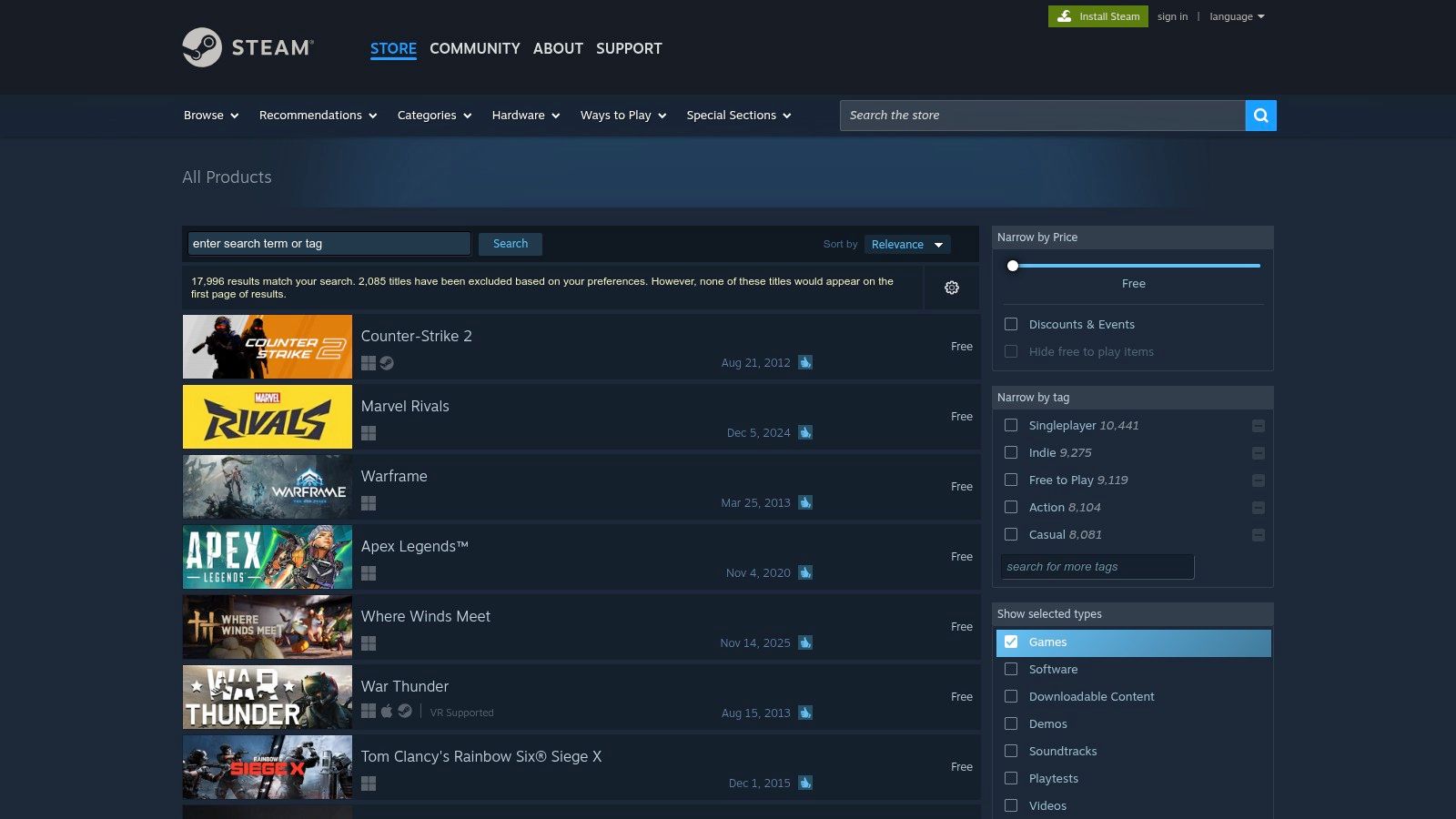
What makes this the essential first stop is its robust filtering system. You aren’t just looking at a massive, unsorted list. You can narrow down thousands of entries by user reviews, release date, tags (like "RPG," "Multiplayer," or "Anime"), and specific features, such as "Deck Verified" for Steam Deck users or "Controller Support." This level of control ensures you find exactly what you're looking for.
Getting the Most Out of the Steam Filter
To use this tool effectively, start broad and then narrow your search. Sort by "Overwhelmingly Positive" reviews to see what the community loves most. From there, apply tags that match your preferred genres. This simple two-step process cuts through the noise and surfaces high-quality titles immediately.
Remember that while the games are free to install, many rely on microtransactions. It’s wise to keep track of your spending to ensure your "free" gaming hobby remains budget-friendly. To get a clear picture of your total investment in your Steam account, you can find out exactly how much you have spent on Steam with an account analysis tool.
Key Features and Tips
| Feature | Pro Tip |
|---|---|
| Robust Tag Filtering | Combine genre tags (e.g., "Strategy") with feature tags (e.g., "Co-op") to find niche games. |
| User Review Sorting | Sort by "Mostly Positive" or higher and a recent release date to find new, well-regarded titles. |
| One-Click Installation | Add games directly to your account to "claim" them, even if you don't install them right away. |
| Deck Verified Filter | A must-use for handheld gamers looking for a seamless experience on the Steam Deck. |
- Pros: Authoritative source, instant library access, powerful filtering options.
- Cons: Quality varies widely; store pages often heavily promote paid DLC and cosmetics.
Website: https://store.steampowered.com/search/?category1=998&maxprice=free
2. Steam Charts – Most Played (official)
After finding games with the store filter, the next step is to see which titles have a thriving community. Valve’s official Steam Charts page is an invaluable tool for this, providing live data on the most played games at any given moment. This helps you prioritize which of the best free to play Steam games are worth your time, ensuring you jump into titles with active matchmaking queues and bustling communities.
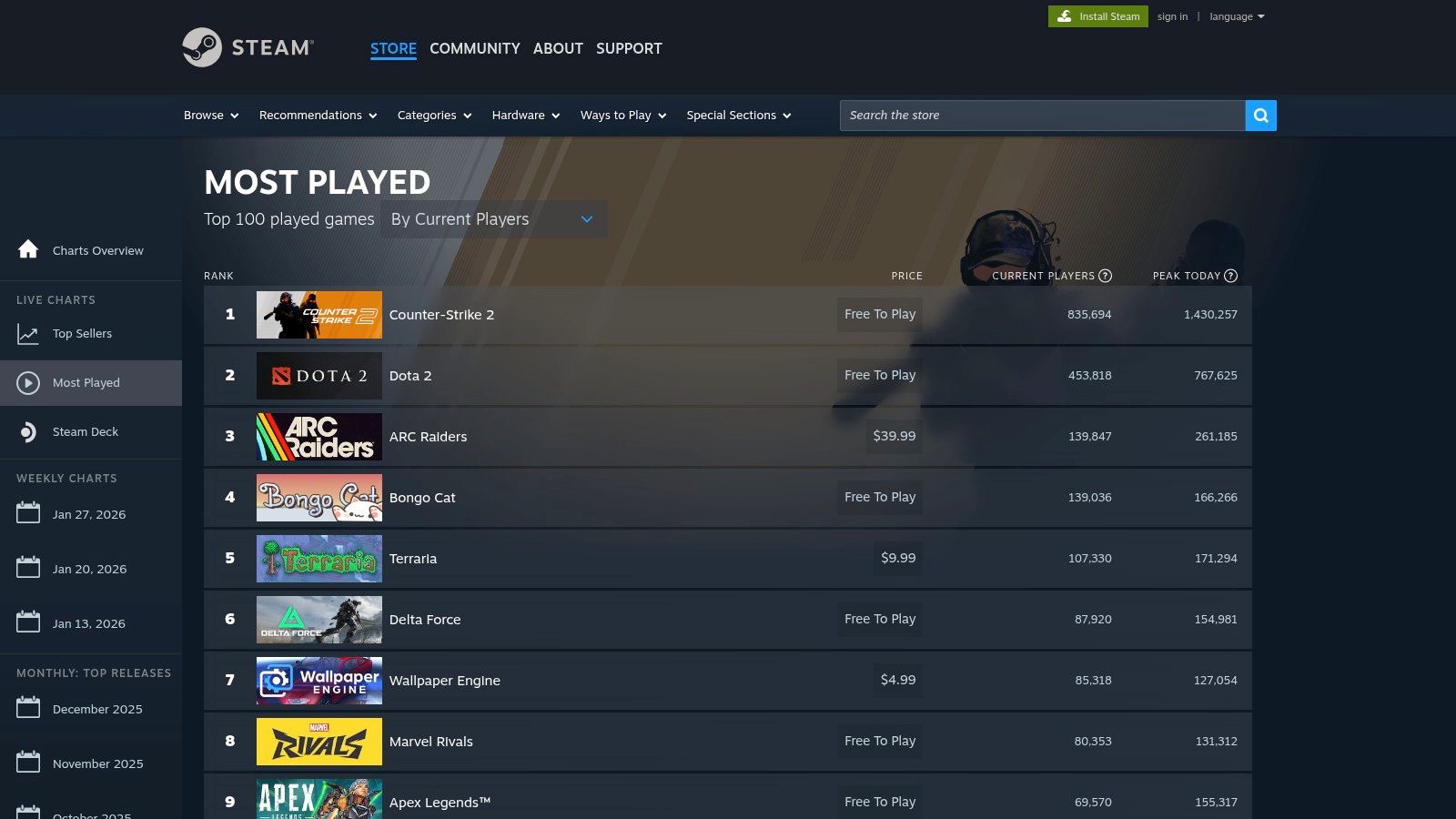
What makes this page so useful is that it offers a real-time snapshot of player engagement. You can instantly see which games are dominating the charts by concurrent players and 24-hour peak numbers. For multiplayer-focused F2P games, a high player count is a direct indicator of a healthy, long-lasting experience. The chart includes both free and paid games, but F2P giants consistently hold top spots, making them easy to identify.
Getting the Most Out of Steam Charts
To use this data effectively, cross-reference the top-played list with the free-to-play filter. Identify a popular game on the chart, then check its store page to confirm it's free. This method ensures you're not just finding a free game, but one with a massive, active player base. Pay attention to trends; a game consistently in the top 10 is a safe bet for a quality experience.
This page is also a great way to discover games that are surging in popularity during special events or major updates. Seasonal promotions, like the ones you can track for the Steam Spring Sale, often cause player counts for certain free titles to spike dramatically. Watching the charts can help you catch these trends as they happen.
Key Features and Tips
| Feature | Pro Tip |
|---|---|
| Live Player Counts | Check during your typical gaming hours to see which games are most active when you want to play. |
| 24-Hour Peak Data | Use this metric to gauge a game's overall daily health, not just its current popularity. |
| Direct Store Page Links | Click any game on the list to go directly to its store page for a quick install. |
| Weekly Top Sellers List | Browse the "Weekly" tab to see which free-to-play games are trending in revenue, indicating a popular in-game economy. |
- Pros: Official, first-party data; excellent for gauging community size and health; helps prioritize popular multiplayer games.
- Cons: Mixes free and paid games together; popularity doesn't always equal personal preference or quality.
Website: https://store.steampowered.com/charts/mostplayed
3. SteamDB (third‑party database)
While the official Steam store is great for discovery, SteamDB is the ultimate tool for research. This powerful third-party database offers a behind-the-scenes look at any Steam title, providing invaluable data that isn’t visible on the store page. For players looking to invest their time wisely in the best free to play Steam games, SteamDB reveals a game's true health and long-term viability.
What makes SteamDB essential is its focus on transparency. Before committing to a download, you can check detailed player count graphs to see if a game's community is growing or declining. You can also view its entire update history, which shows how actively the developers are supporting the title with patches and new content. This data-driven approach helps you avoid "dead" games and find hidden gems with dedicated communities.
Getting the Most Out of SteamDB
The best way to use SteamDB is to vet a free game you’ve found elsewhere. Search for the game and immediately check its "Charts" section. A healthy free-to-play game will show a stable or growing player base. Next, look at the "Depots" and "History" tabs to see the frequency of updates. Consistent updates are a strong signal of a well-supported game.
This process ensures you’re not just downloading another title that will sit in your library, but one that offers an active and engaging experience. For power users, the optional browser extension integrates this data directly into the Steam store pages, making your research seamless.
Key Features and Tips
| Feature | Pro Tip |
|---|---|
| Player Statistics | Check the 24-hour peak and all-time peak player counts to gauge current popularity versus historical success. |
| Update History | Look for frequent "changelogs" to confirm the developers are actively fixing bugs and adding content. |
| Price and Package Info | See exactly what is included in the free package and what content is locked behind paid bundles. |
| Browser Extension | Install the extension to add player stats and historical price data directly to Steam store pages. |
- Pros: Deep transparency beyond the store page, excellent for power users, free to use and links back to Steam for installs.
- Cons: Not a storefront-discovery can feel data-first rather than editorial; some pages may be slow due to anti-bot checks.
Website: https://steamdb.info
4. Steam 250 – Free to Play tag rankings
If you want to find the best free to play Steam games according to long-term player satisfaction, Steam 250 is an invaluable resource. This community-powered ranking site uses a unique algorithm that aggregates Steam user reviews to surface the most beloved titles. Unlike lists that prioritize player counts, Steam 250’s method highlights quality and enduring appeal, making it perfect for discovering games that have truly stood the test of time with the community.
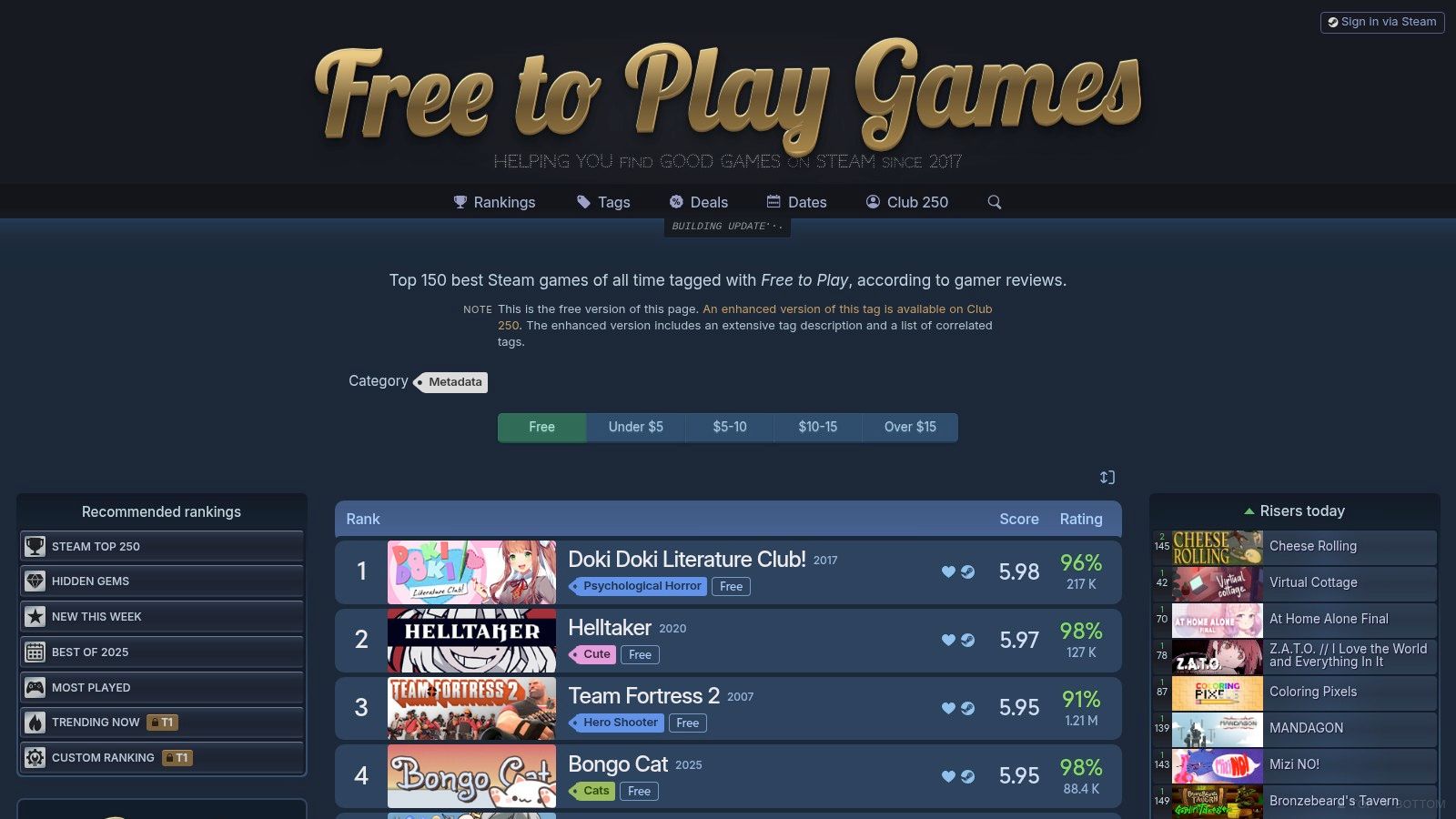
What sets Steam 250 apart is its focus on review data over fleeting trends. It provides a clear, ranked list of the Top 150 Free to Play games, allowing you to see at a glance which titles are consistently well-regarded. This data-driven approach helps you avoid flavor-of-the-month games and instead find polished experiences that have earned their reputation through positive player feedback over an extended period.
Getting the Most Out of Steam 250
To leverage Steam 250 effectively, start with the main "Free to Play" tag ranking. From there, cross-reference your findings with their other lists, such as "Hidden Gems" or "Most Played," to get a more complete picture. The site provides quick links to the official Steam store pages, so you can easily read detailed reviews, check system requirements, and add a game to your library in just a couple of clicks.
The clean interface is designed for rapid comparison. It shows each game's rank, score, and the number of positive reviews, giving you all the key data points you need to make an informed decision without having to sift through individual store pages.
Key Features and Tips
| Feature | Pro Tip |
|---|---|
| Review-Driven Rankings | Focus on the top 25 games on the list for a near-guaranteed high-quality experience. |
| Hidden Gems List | Check the "Hidden Gems" section to discover acclaimed F2P games with smaller but passionate communities. |
| Quick Links to Steam | Use the direct links to wishlist games you find, then use a tool to track their updates or DLC sales. |
| Simple Data Presentation | Use the score and review count to quickly gauge a game's overall reception and popularity. |
- Pros: Highlights quality over hype, easy to compare many top-rated games at once, unearths hidden gems.
- Cons: Not an official Valve list, methodology can lag in featuring brand-new releases, requires clicking through to Steam to install.
Website: https://steam250.com/tag/free_to_play
5. PC Gamer – “Best free Steam games” guide
If you prefer a curated, editorial approach over sifting through user reviews, PC Gamer's guide to the best free Steam games is an excellent resource. Instead of a massive, filterable database, this is a hand-picked list from industry experts. Each entry includes a thoughtful blurb explaining what makes the game special, who it's for, and why it’s worth your time, saving you from trial and error.
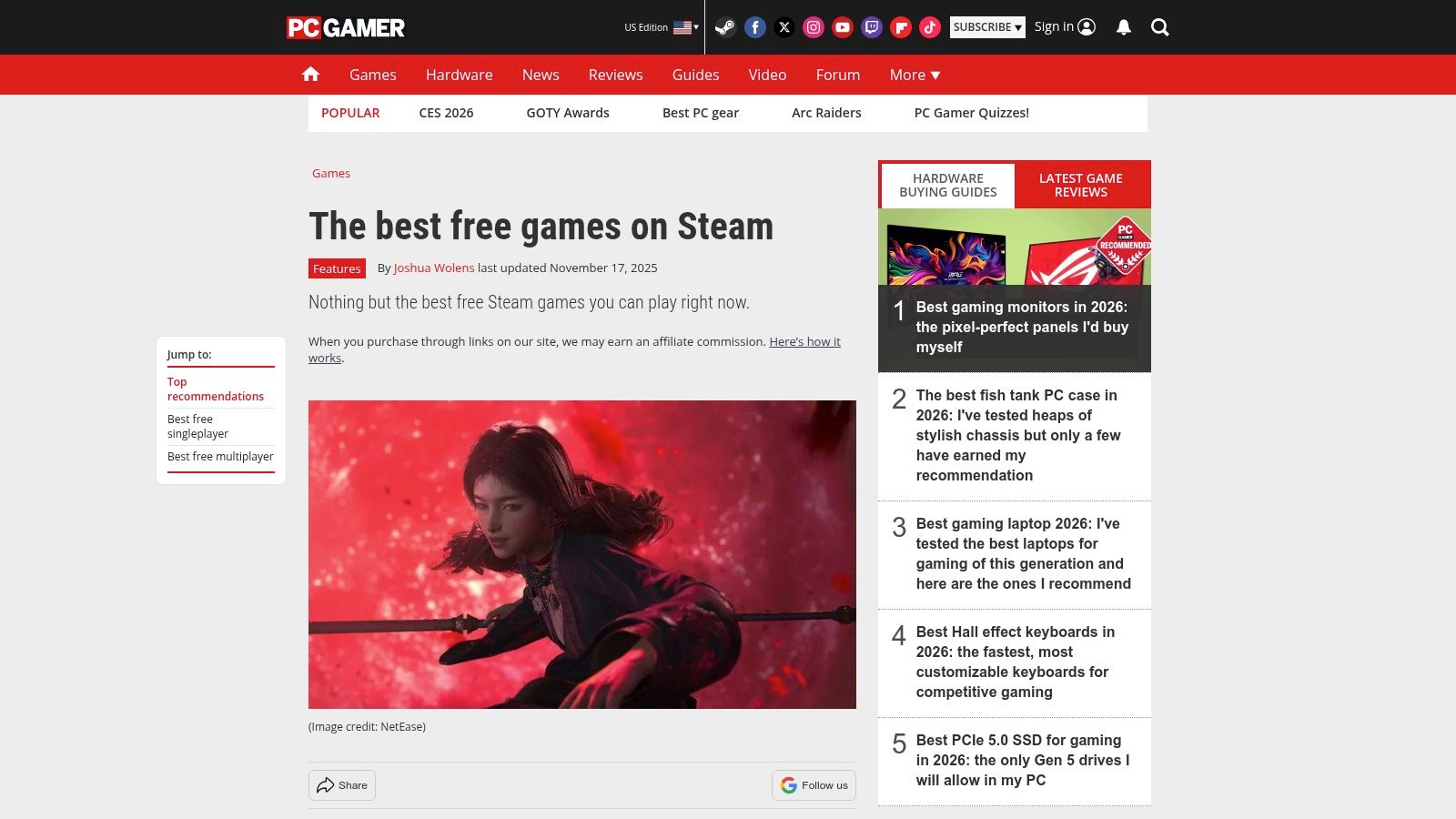
This guide stands out by providing valuable context. The editors don't just list titles; they articulate the core gameplay loop and unique appeal of each recommendation. This is perfect for players who are short on time and want trustworthy suggestions for high-quality experiences without the commitment of downloading and testing dozens of titles themselves. The selection mixes evergreen hits with newer, noteworthy additions.
Getting the Most Out of PC Gamer's Guide
To use this guide effectively, treat it as a starting point for discovery. Read through the descriptions to find a game that aligns with your preferred genre and playstyle. Since the list is curated, you can trust that each pick has met a certain standard of quality. Use the direct links provided in the article to jump straight to the Steam store page for a seamless installation.
Remember that editorial lists are updated periodically, so it's a good idea to check back every few months to see what's new. While the guide won't cover every niche gem, it excels at highlighting the most compelling and polished free to play Steam games available.
Key Features and Tips
| Feature | Pro Tip |
|---|---|
| Expert Curation | Trust the editors' picks to find high-quality games without needing to analyze user reviews yourself. |
| Contextual Blurbs | Read the short descriptions to quickly understand a game's genre, tone, and core mechanics. |
| Mix of Genres | The list covers a wide range of genres, from shooters and MOBAs to strategy and indie titles. |
| Direct Steam Links | Each entry includes a direct link to the game's Steam page, making it easy to download and play. |
- Pros: Time-saving curation from editors for quick, trustworthy picks; explains genre and expectations to help you choose what to try.
- Cons: Not comprehensive, so some niche or newer gems may be omitted; update frequency may lag behind new F2P launches.
Website: https://www.pcgamer.com/the-best-free-games-on-steam/
6. Digital Trends – “The best free games on Steam” hub
For gamers who prefer curated, editorial-style recommendations, the Digital Trends hub for the best free to play Steam games is an excellent resource. Rather than presenting a raw, filterable list, this platform offers a professionally written roundup of top-tier titles. It’s a great way to discover high-quality games without sifting through thousands of store listings.
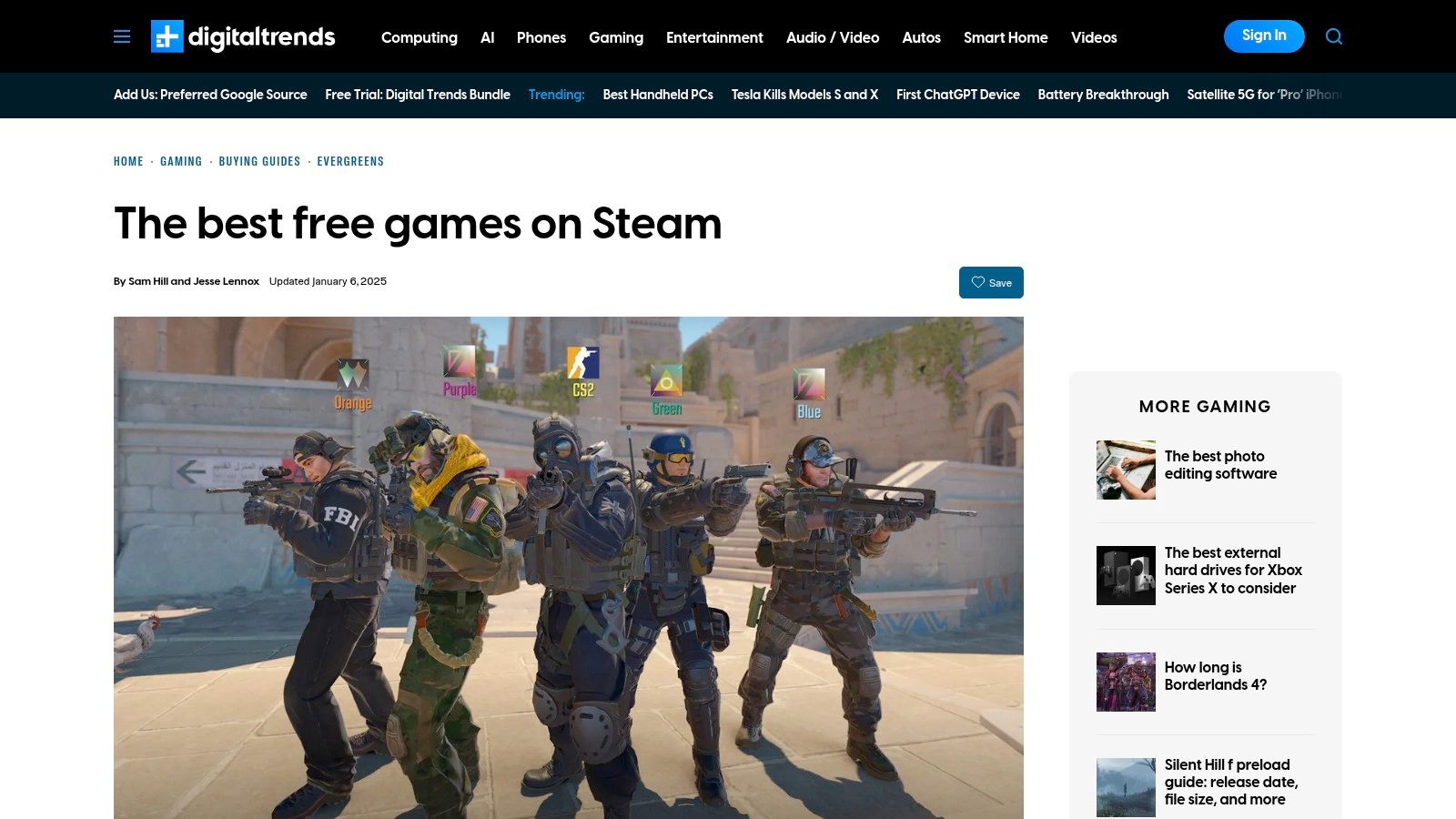
What sets this list apart is its focus on practical, quick-glance information. Each entry includes a concise summary, a clear "who it's for" section, and notes on cross-platform availability. This approach helps you quickly determine if a game fits your playstyle, saving you the time of reading lengthy reviews or watching gameplay videos. It’s perfect for cross-referencing picks from other sources or simply getting a trusted second opinion.
Getting the Most Out of Digital Trends' List
Use this list as a starting point to build a shortlist of potential games. Read the brief summaries for each title and pay close attention to the genre and player-type descriptions. Once you find a few that seem interesting, use the direct links to their Steam store pages to add them to your wishlist or library.
Remember that editorial lists are updated periodically, so a game’s community or monetization model may have changed since the article was last published. It's always a good idea to check recent Steam reviews to get the most current player feedback before you commit to installing and playing.
Key Features and Tips
| Feature | Pro Tip |
|---|---|
| Editorial Recommendations | Skim the list to quickly find mainstream, well-regarded games that are a safe bet for quality. |
| "Who It's For" Guidance | Use this section to immediately see if a game aligns with your preferred genre and playstyle. |
| Direct Steam Links | Click the links to navigate straight to the Steam store page for easy installation or wishlisting. |
| Cross-Platform Notes | Quickly identify games you can play with friends who are on different platforms, like consoles. |
- Pros: Easy-to-skim recommendations with practical summaries, useful complement to other editorial lists for cross-checking.
- Cons: Editorial picks may favor well-known titles over experimental indies, some entries cover games that are F2P across multiple launchers, not Steam-exclusive.
Website: https://www.digitaltrends.com/gaming/best-free-games-steam/
7. IsThereAnyDeal (ITAD) – Freebies and Steam giveaways tracker
Beyond games that are permanently free to play, a massive category of free Steam games comes from limited-time giveaways. IsThereAnyDeal (ITAD) is an essential tool for any PC gamer, acting as a meta-search engine that aggregates deals from dozens of authorized retailers. Its "Freebies" section is a goldmine for finding games that are temporarily 100% off and redeemable on Steam.
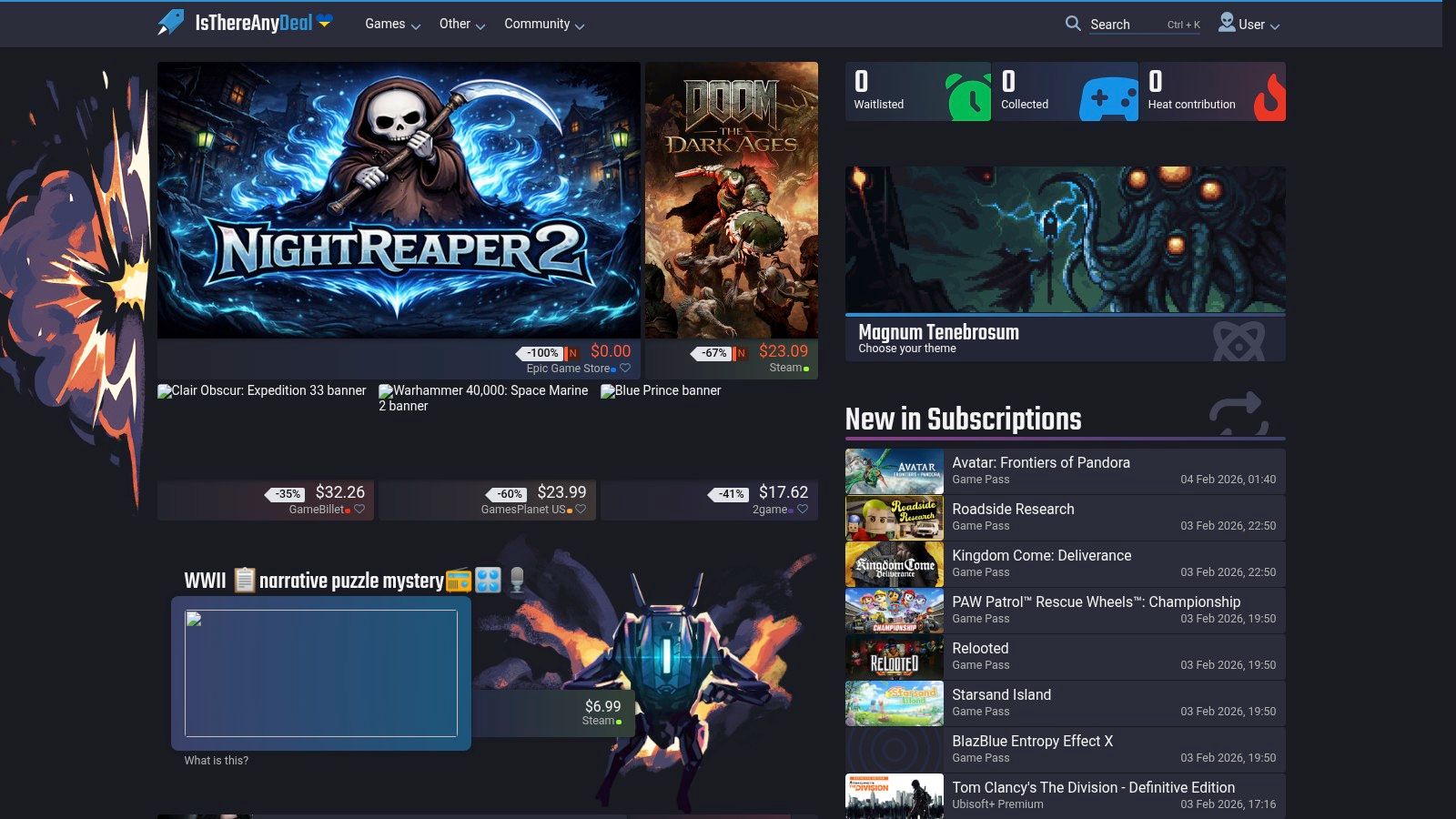
What makes ITAD so powerful is its focus on "free-to-keep" titles. Unlike free weekends where you lose access after the event, the games found here are yours to add to your Steam library permanently. The platform scans official storefronts like Steam, Fanatical, Humble Store, and GOG, centralizing all current giveaways into a single, easy-to-browse list. This saves you from having to check multiple sites daily, ensuring you never miss a promotion.
Getting the Most Out of ITAD
The key to using ITAD effectively is consistency and setting up alerts. Create a free account to receive email notifications when a new giveaway goes live. Since these promotions can be short-lived, acting quickly is crucial. Use the filters to show only games that activate on Steam to avoid offers for other platforms if you're solely focused on building your Steam library.
Remember that ITAD is not just for freebies; it’s a comprehensive price-tracking tool. By syncing your Steam Wishlist, you can get alerts when games you want hit their all-time low price. This is an indispensable strategy for a savvy gamer, and you can learn how to find the best Steam sale deals to maximize your savings.
Key Features and Tips
| Feature | Pro Tip |
|---|---|
| Centralized Freebie List | Bookmark the "Freebies" page and check it daily to catch every limited-time offer. |
| Email & Push Alerts | Set up notifications for the "Freebies" category to get instant updates on new giveaways. |
| Store Filtering | Filter by "Steam" as the DRM to ensure the free game can be added to your Steam library. |
| Wishlist Integration | Sync your Steam Wishlist to track paid games and get notified when they drop to their lowest price. |
- Pros: Excellent for finding limited-time "free-to-keep" Steam keys, consolidates offers from multiple official stores, robust alert system.
- Cons: Availability windows for giveaways can be very short, primary focus is on deals rather than evergreen F2P games.
Website: https://isthereanydeal.com/specials/#/filter:page/giveaways
Best Free-to-Play Steam Games — 7-Source Comparison
| Item | Complexity 🔄 | Resource requirements ⚡ | Expected outcomes 📊 | Ideal use cases 💡 | Key advantages ⭐ |
|---|---|---|---|---|---|
| Steam Store – Free games filter (official) | Low — built into store UI 🔄 | Minimal — Steam client or web ⚡ | Immediate claim/install; large catalog; variable quality ⭐⭐⭐ | Quickly discover and install F2P titles by tag/genre | Authoritative listings; robust filters; one‑click install |
| Steam Charts – Most Played (official) | Low — leaderboard view 🔄 | Minimal — web ⚡ | Real‑time and 24h peak player counts; measures activity 📊⭐⭐⭐ | Identify games with healthy player bases and matchmaking | First‑party live player data; quick popularity signal |
| SteamDB (third‑party database) | Moderate — data‑first interface; optional extension 🔄 | Moderate — web + optional browser extension; some data literacy ⚡ | Detailed trends: player history, updates, prices; deep transparency ⭐⭐⭐⭐ | Vet long‑term activity, update cadence, and monetization before investing time | Comprehensive stats; price history; changelogs; developer activity |
| Steam 250 – Free to Play tag rankings | Low — community ranking pages 🔄 | Minimal — web ⚡ | Review‑driven ranked lists highlighting higher‑quality F2P picks ⭐⭐⭐⭐ | Find well‑reviewed F2P gems and compare player sentiment | Review‑based rankings; highlights long‑term satisfaction |
| PC Gamer – “Best free Steam games” guide | Low — editorial curation 🔄 | Minimal — web ⚡ | Curated, contextual recommendations with play tips ⭐⭐⭐⭐ | Fast, trustworthy picks when you want expert guidance | Human curation; concise context and expectations |
| Digital Trends – “The best free games on Steam” hub | Low — editorial roundup 🔄 | Minimal — web ⚡ | Skimmable genre‑spanning picks with practical notes ⭐⭐⭐ | Quick scans for who will enjoy each game; cross‑checking lists | Clear “who it’s for” notes; monetization and cross‑platform info |
| IsThereAnyDeal (ITAD) – Freebies and Steam giveaways tracker | Moderate — deals aggregator; optional alerts 🔄 | Low–Moderate — web; optional account for alerts ⚡ | Catch limited‑time 100% off promos and permanent freebies ⭐⭐⭐⭐ | Deal hunting and timely redemption of freebie promotions | Centralized freebies/giveaways; alerts and region filters |
Get More Value from Your Entire Steam Library
You now have a curated list of some of the best free to play Steam games available today, proving that a zero-dollar price tag is no barrier to world-class entertainment. From the strategic depths of MOBAs to the high-octane action of team-based shooters, these titles demonstrate that quality, community, and countless hours of fun don't have to cost a penny. We've explored how to find these gems using official tools like the Steam Store filters and third-party databases like SteamDB, ensuring you can always find your next favorite game without opening your wallet.
The key takeaway is that the true value of a game isn't its sticker price but the memorable experiences and enjoyment it delivers. The titles we've covered offer deep, engaging gameplay loops that rival, and often surpass, their premium counterparts. By leveraging resources like Steam Charts and curated lists from reputable sources, you can confidently dive into these communities knowing you're playing some of the most popular and well-regarded titles on the platform.
Actionable Next Steps for Savvy Gamers
To truly master your gaming experience, it's time to put these insights into practice. Start by dedicating some time to a few games from this list that genuinely pique your interest. Don't just download them; use the "time-to-fun" estimates we provided to give each one a fair shot.
Beyond just playing, consider these next steps:
- Track Your Playtime: Pay attention to how many hours you sink into these F2P games. This data is crucial for understanding what truly captures your attention and provides the most entertainment value.
- Optimize Your Connection: Many of the best free to play Steam games are online multiplayer experiences where a stable connection is non-negotiable. Lag spikes and high latency can ruin a competitive match. To truly maximize the enjoyment and competitiveness of these titles, having a reliable internet connection is paramount. For UK gamers, understanding how to choose the best gaming ISP can significantly enhance your gameplay.
- Build Your Wishlist: Use tools like IsThereAnyDeal to track giveaways, but also use the official Steam Wishlist to follow paid games you're interested in. This keeps you informed about sales, allowing you to build a premium library at a fraction of the cost.
By actively managing how you discover, play, and track games, you transform from a passive consumer into a smart, efficient gamer who gets the absolute most out of every single session.
Ready to see the real value hiding in your game library? Head over to Steam Calculator to analyze your collection, discover your cost-per-hour, and see how these incredible free-to-play titles stack up against your paid games. Get your personalized gaming report today at Steam Calculator.